

File:IBM 5150 SNCTOL soldering technique.png
Summary
[edit | edit source]

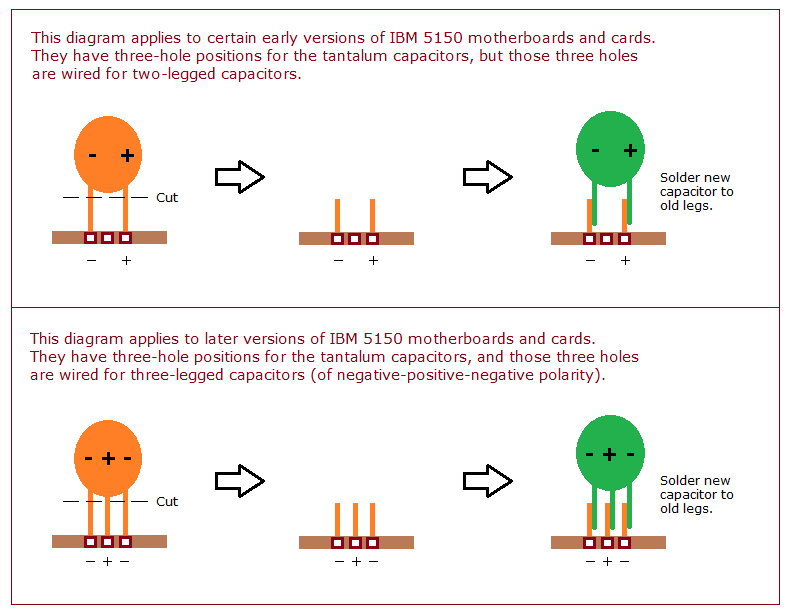
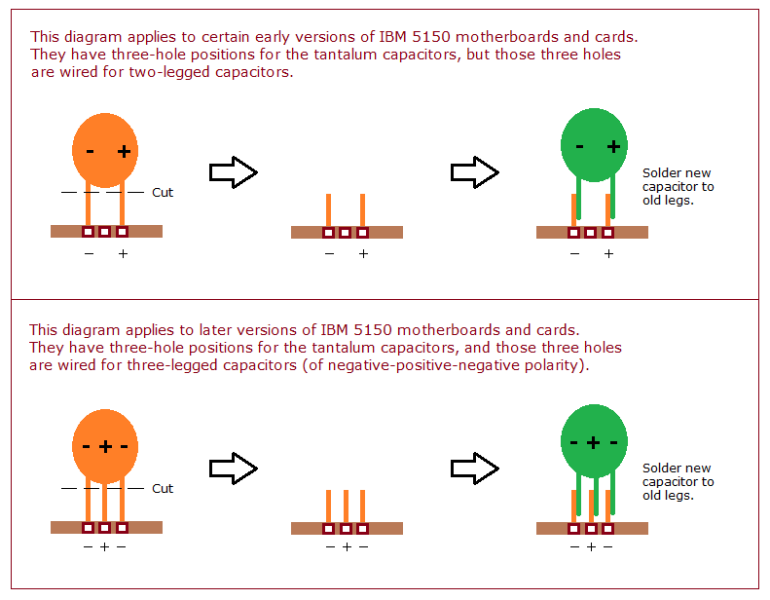
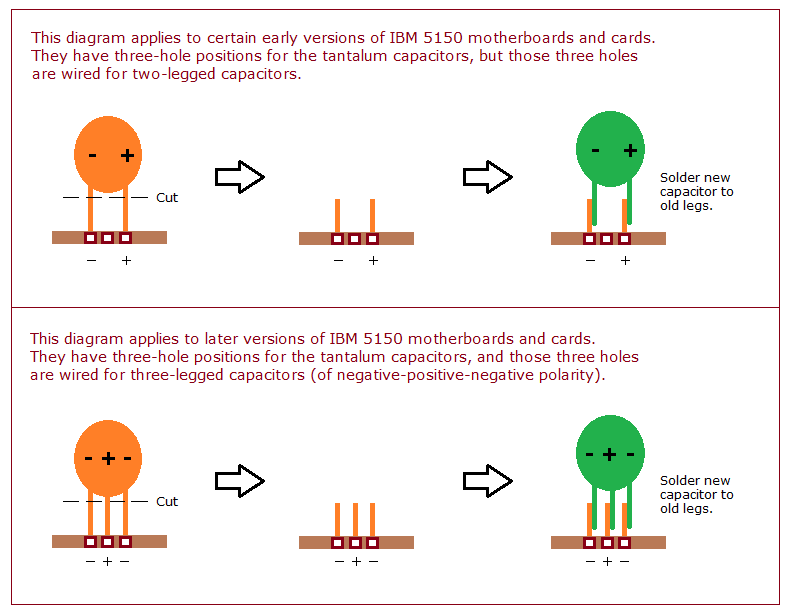
Diagram of a way to replace a tantalum capacitor on an IBM 5150 motherboard or card without soldering to the board: cut the old capacitor off, leaving its legs, and solder the new capacitor to the old legs. It shows two cases: early boards whose three-hole positions are wired for two-legged capacitors, and later boards wired for three-legged ones.
Source
[edit | edit source]

https://www.minuszerodegrees.net/soldering/snctol_5150.png (same file size), shown on https://www.minuszerodegrees.net/5150_5160/MDC/tantalum_short_plus_12volts.htm
Author
[edit | edit source]

minuszerodegrees.net
Licence
[edit | edit source]

No licence is stated on minuszerodegrees.net. Reproduced with credit for repair reference.
File history
Click on a date/time to view the file as it appeared at that time.
| Date/Time | Thumbnail | Dimensions | User | Comment | |
|---|---|---|---|---|---|
| current | 10:32, 21 May 2026 | | 791 × 616 (23 KB) | Josh (talk | contribs) | Import from minuszerodegrees.net (with attribution): SNCTOL (Snip, Cut, Tin, Overlap) soldering technique diagram for the IBM 5150 motherboard |
You cannot overwrite this file.
File usage
The following 3 pages use this file:
