

File:Lisa Widget support bracket screws (Lisa Do-it-Yourself Guide Fig 25).png

Summary
[edit | edit source]

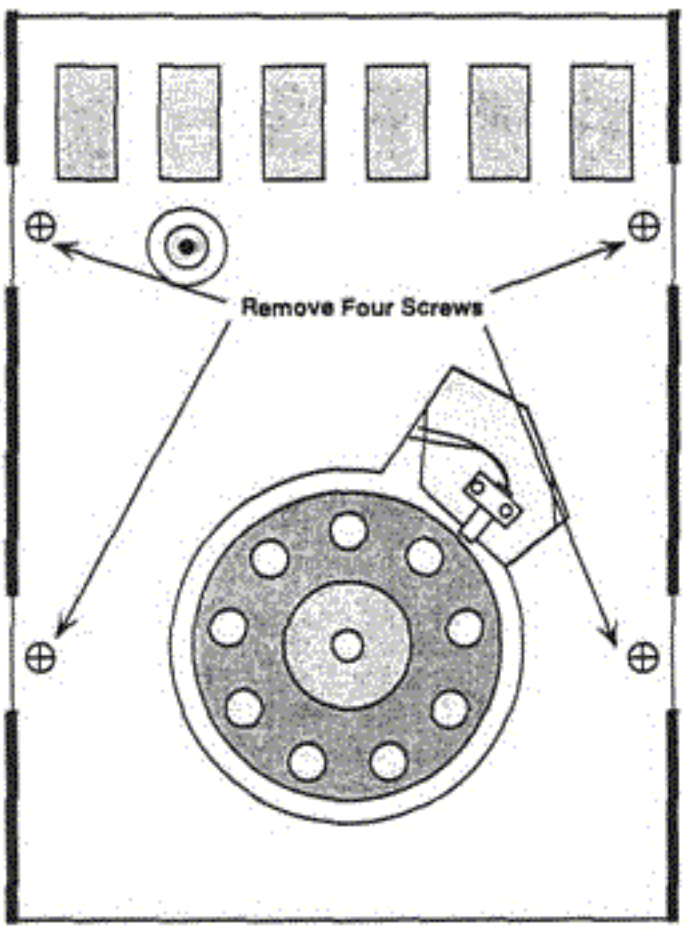
Line drawing of the underside of the Widget hard disk as it lies upside down after the drive cage is lifted off, with arrows to the four screws that hold the sheet-metal support bracket ("Remove four screws").
Source
[edit | edit source]

Sun Remarketing, Inc., Apple Lisa/Macintosh XL Do-it-Yourself Guide, ca. 1990, Figure 25, p. 34 (PDF p. 34). Cropped from File:Lisa Do It Yourself Guide.pdf (see Lisa Do It Yourself Guide).
Author
[edit | edit source]

Sun Remarketing, Inc.
Licence
[edit | edit source]

Copyright Sun Remarketing, Inc. Hosted for preservation and repair reference, with the source cited. The hosted transcription notes that parts of the guide appear to be copied from Larry Pina's Macintosh Repair & Upgrade Secrets.
File history
Click on a date/time to view the file as it appeared at that time.
| Date/Time | Thumbnail | Dimensions | User | Comment | |
|---|---|---|---|---|---|
| current | 18:12, 25 October 2026 | | 690 × 930 (399 KB) | Josh (talk | contribs) | Figure for Lisa repair guide |
You cannot overwrite this file.
File usage
The following page uses this file:
