

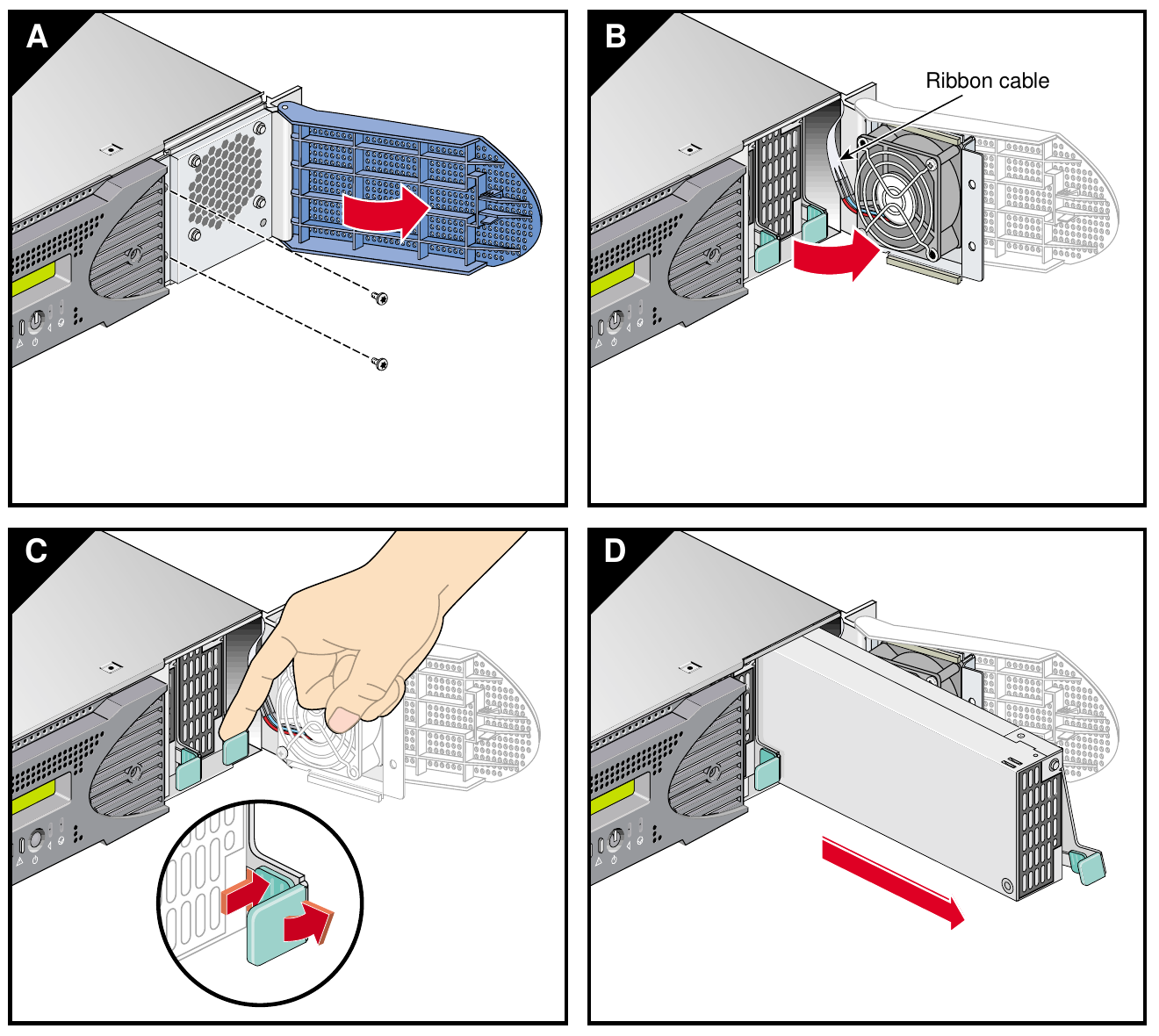
File:SGI Onyx 350 power supply removal (User's Guide Figure 7-27).png

Summary
[edit | edit source].png&veaction=edit§ion=1)
.png&action=edit§ion=1)
SGI's four-step drawing of removing an Onyx 350 compute module power supply: (A) open the bezel door and remove the two screen-cover screws, (B) swing the screen cover and fan aside, minding the fan ribbon cable, (C) press the release and lift the green handle, (D) slide the supply out. Rendered from Figure 7-27 (printed page 138) of File:SGI Onyx 350 Visualization System User's Guide (007-4632-001).pdf.
Source
[edit | edit source].png&veaction=edit§ion=2)
.png&action=edit§ion=2)
Silicon Graphics, SGI Onyx 350 Visualization System User's Guide, document number 007-4632-001, June 2003, Figure 7-27, from irix7.com (retrieved 2026-10-22).
Author
[edit | edit source].png&veaction=edit§ion=3)
.png&action=edit§ion=3)
Silicon Graphics, Inc. (illustrated by Dan Young and Chrystie Danzer).
Licence
[edit | edit source].png&veaction=edit§ion=4)
.png&action=edit§ion=4)
Copyright Silicon Graphics, Inc. Reproduced from the manufacturer's guide to identify the product and its parts, with the source cited.
File history
Click on a date/time to view the file as it appeared at that time.
| Date/Time | Thumbnail | Dimensions | User | Comment | |
|---|---|---|---|---|---|
| current | 00:05, 22 October 2026 | | 1,320 × 1,180 (396 KB) | Josh (talk | contribs) | Drawing from an SGI Onyx guide |
You cannot overwrite this file.
File usage
The following 3 pages use this file:
.png&oldid=29458)