

File:SGI Origin 350 power supply removal.png
Size of this preview: 670 × 600 pixels. Other resolution: 1,324 × 1,185 pixels.

Original file (1,324 × 1,185 pixels, file size: 398 KB, MIME type: image/png)
Summary
[edit | edit source]

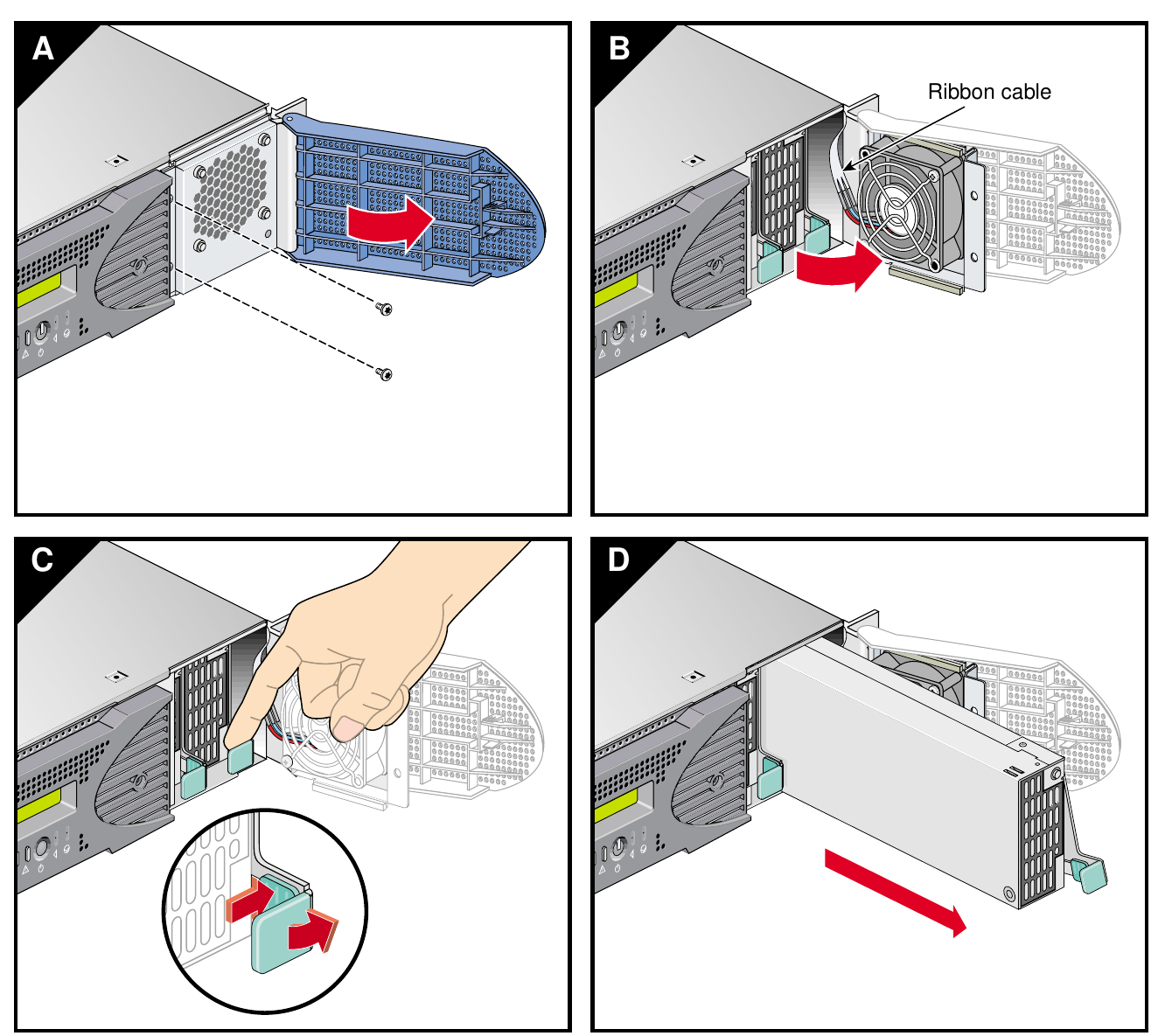
Drawing of the four steps for removing an Origin 350 power supply: (A) remove two screws and open the screen cover, (B) swing the cover out, keeping clear of the fan ribbon cable, (C) push the release button and lift the green handle, (D) slide the supply out.
Source
[edit | edit source]

Rendered from SGI, SGI Origin 350 Server System User's Guide, 007-4566-001, p. 184, Figure 6-22 (File:SGI Origin 350 Server System User's Guide (007-4566-001).pdf), 2026-10-22.
Author
[edit | edit source]

Silicon Graphics, Inc.
Licence
[edit | edit source]

Copyright Silicon Graphics, Inc. Hosted for preservation and repair reference, with the source cited.
File history
Click on a date/time to view the file as it appeared at that time.
| Date/Time | Thumbnail | Dimensions | User | Comment | |
|---|---|---|---|---|---|
| current | 23:47, 21 October 2026 | | 1,324 × 1,185 (398 KB) | Josh (talk | contribs) | SGI drawing from the Origin 350 user's guide |
You cannot overwrite this file.
File usage
The following page uses this file:
