

DECpc LP Power Supply Service
.jpg)
The DECpc LP runs from an AT-style switch-mode power supply with its mains switch inside the supply. The front power button works that switch through a mechanical linkage.[1][2] DEC's service manual treats the supply as a replaceable unit and gives only its removal procedure; it has no ratings or component data.[2]
Warning: the supply carries mains voltage, and its label warns of hazardous voltages inside. Unplug the computer before opening it.[3][4]
Identification
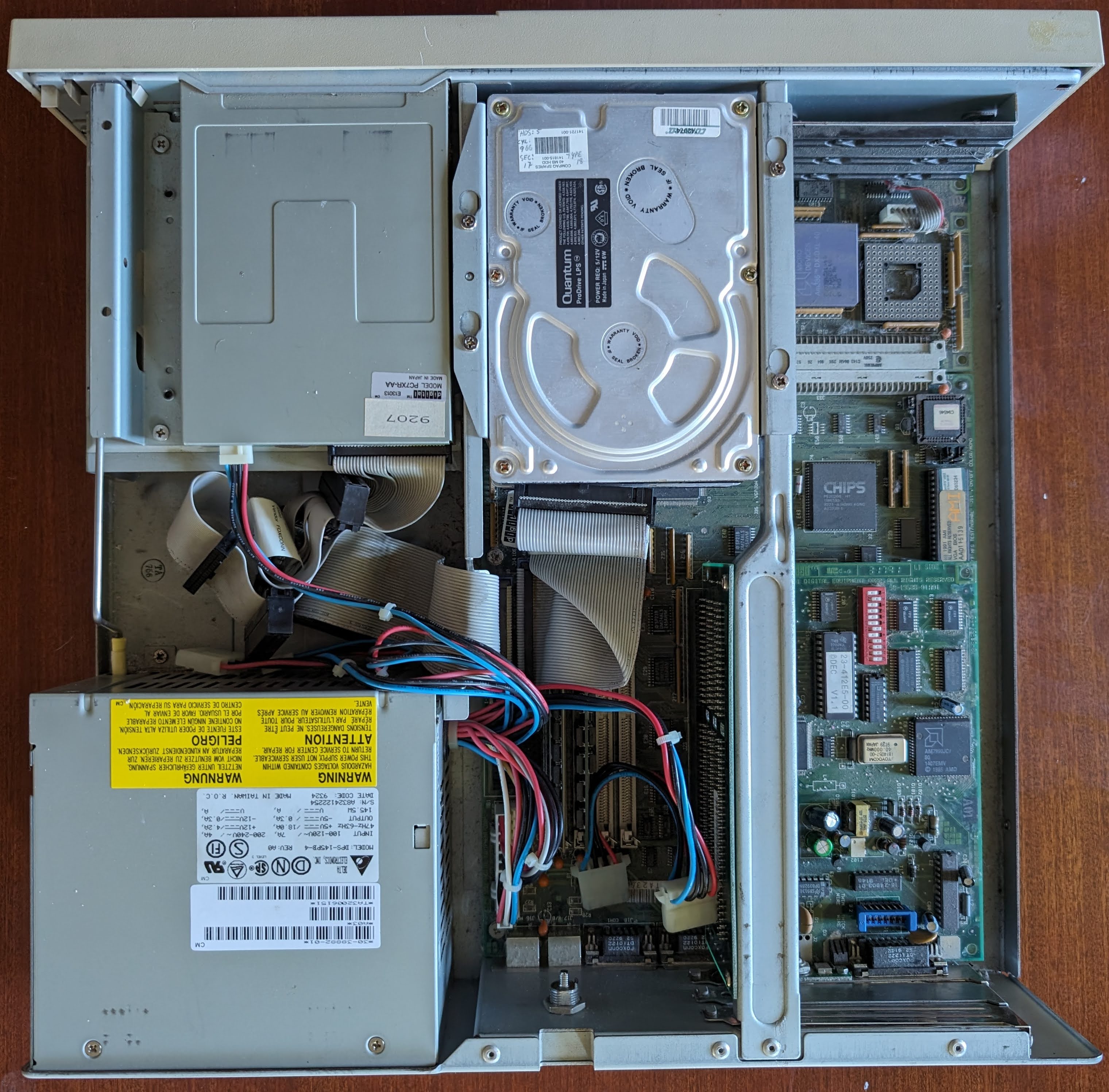
[edit | edit source]The supply in one of David Hall's machines is a Delta Electronics DPS-145PB-4, revision A0, date code 9324, made in Taiwan, with a DEC barcode label reading 30-38882-01.[3]
| Item | Rating |
|---|---|
| Input | 100–120 V, 7 A or 200–240 V, 4 A, 47–63 Hz |
| +5 V | 18.0 A |
| +12 V | 4.2 A |
| −5 V | 0.3 A |
| −12 V | 0.3 A |
| Total | 145.5 W |
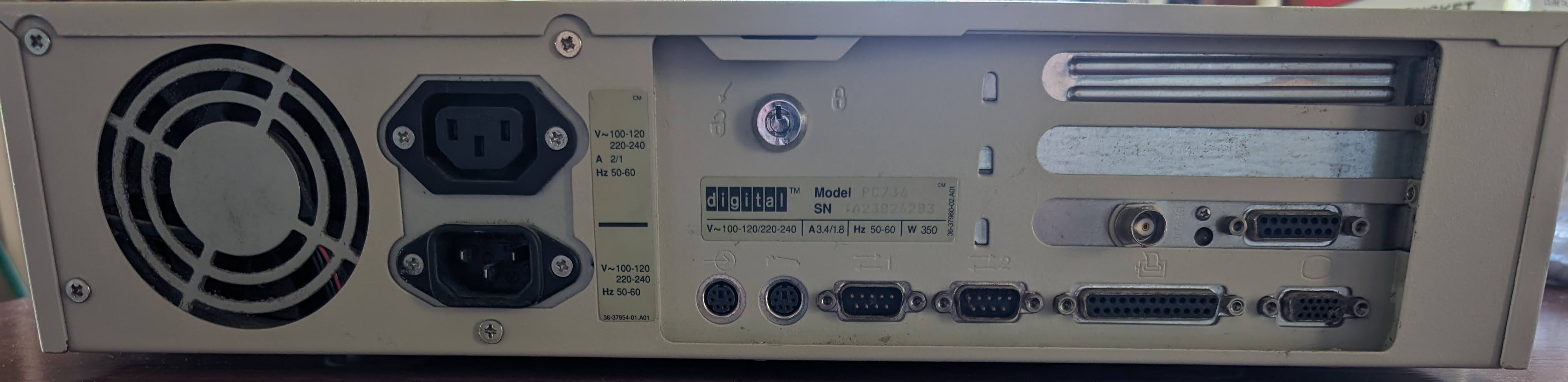
The label above is from one machine; read the label on yours before buying a replacement. The rear of the supply carries the fan, the mains inlet and an outlet for the monitor.[5]
Front power button does not work
[edit | edit source]The front button pushes a linkage onto the switch in the supply, and a short rubber tube over the end of the linkage and the switch keeps them in line. Hall reports that on every machine of this design he has seen, including the earlier DECpc 320sxLP and 325sxLP, the tube has disintegrated, leaving the linkage free to miss the switch.[1][6] His repair is a new tube rolled from a small piece of paper and wrapped in sticky tape.[1]
On a machine that will not switch on, check this joint before suspecting the supply.[1]
Removing the supply
[edit | edit source]DEC's procedure, after removing the outside cover:[2]
- Disconnect the power cord.
- Disconnect all the supply's connectors from the board and drives.
- Pull the remote on/off mechanical connector off the supply.
- Remove the six screws that hold the supply.
- Slide the supply backwards and out of the chassis.
To remove the cover first: switch off the computer and all attached devices, unplug the mains cord and the monitor cord from the computer, unlock the cover, take out the four screws at the rear, slide the cover back until it clears the lip of the front bezel and lift it off.[4]
Clock battery beside the power connector
[edit | edit source]The original Rayovac 840 4.5 V alkaline clock battery is fixed with Velcro next to the board's power connector, so a leak from it lands on the power wiring and the board around it. Hall advises removing it on sight.[1] See DECpc LP General Maintenance for replacements and Battery Explosion, Capacitor or Corrosion Damage for cleaning up.
Testing
[edit | edit source]DEC's service tools list is a 4½-digit multimeter, a Phillips screwdriver and an antistatic wrist strap. DEC tells its engineers to use an isolation transformer when diagnosing power supplies with mains applied, to stand on an insulating mat, and not to wear an antistatic strap while working on a powered supply because of the shock risk.[7]
Related pages
[edit | edit source]References
[edit | edit source]- ↑ 1.0 1.1 1.2 1.3 1.4 David Hall, "Digital DECpc 340dx LP/425sx LP/433dx LP/450d2 LP/466d2 LP", zxnet, last modified 2 February 2024, zx.net.nz. AT power supply, power switch linkage and its repair, battery location.
- ↑ 2.0 2.1 2.2 DEC, K-MN-SD00000-21-JG00.A, p. 38. Removing the power supply.
- ↑ 3.0 3.1 3.2 Rating label of the power supply in a DECpc LP, from David Hall's photograph of the interior, zx.net.nz (File:DECpc LP Delta DPS-145PB-4 power supply label (zx.net.nz).jpg).
- ↑ 4.0 4.1 DEC, K-MN-SD00000-21-JG00.A, p. 26. Unlocking and removing the cover.
- ↑ David Hall, photograph of the rear panel, zx.net.nz (File:DECpc LP rear panel (zx.net.nz).jpg).
- ↑ David Hall, "Digital DECpc 320sxLP/325sxLP", zxnet, last modified 31 May 2024, zx.net.nz. The same linkage fault on the earlier machines.
- ↑ Digital Equipment Corporation, DECpc LP PC Service Maintenance Manual, K-MN-SD00000-21-JG00.A, March 1996, pp. 23–24 (File:DECpc LP Service Maintenance Manual (K-MN-SD00000-21-JG00.A).pdf). Safety requirements and recommended tools.
.jpg)