Mattel Auto Race General Maintenance
.png)
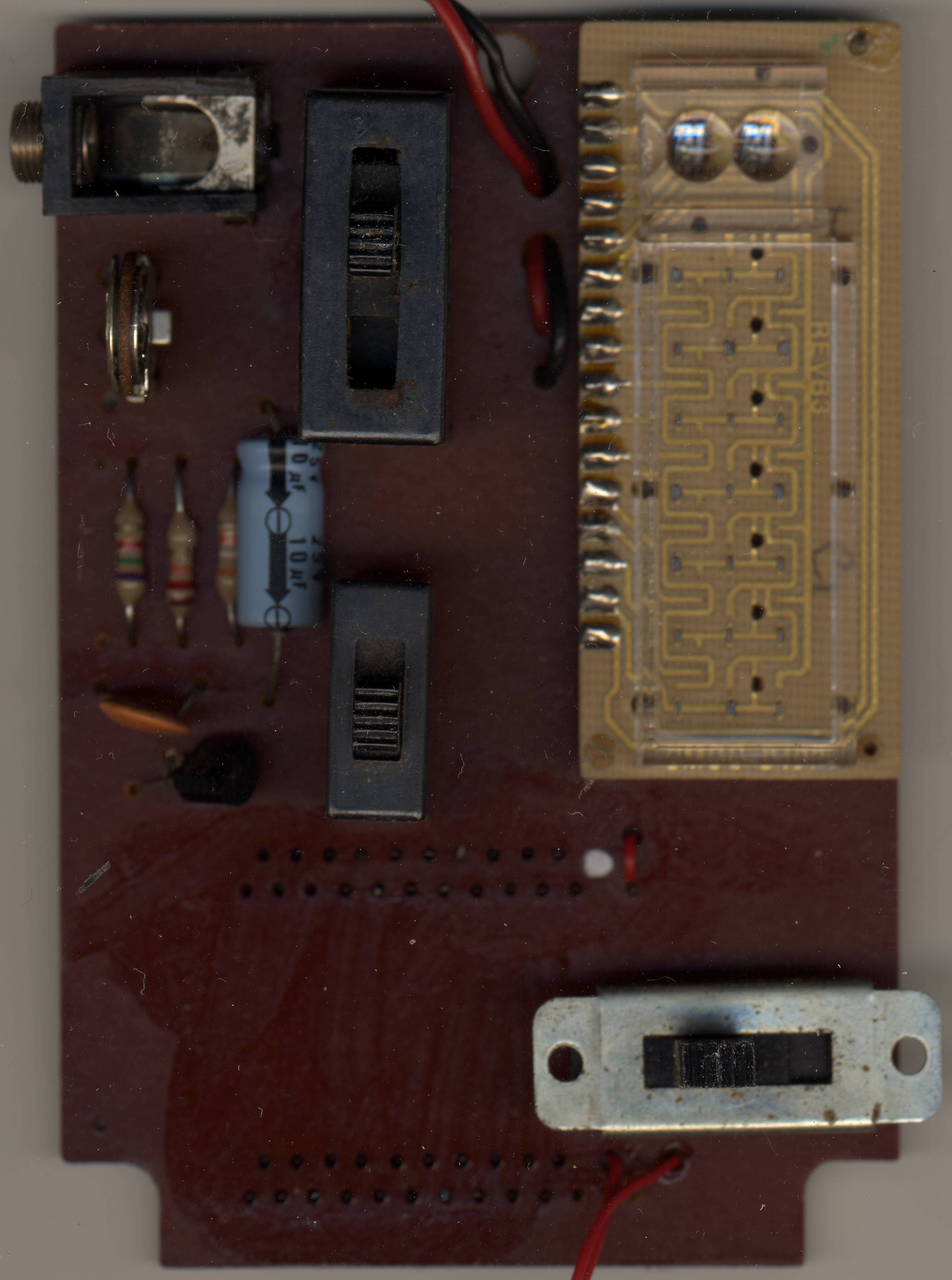
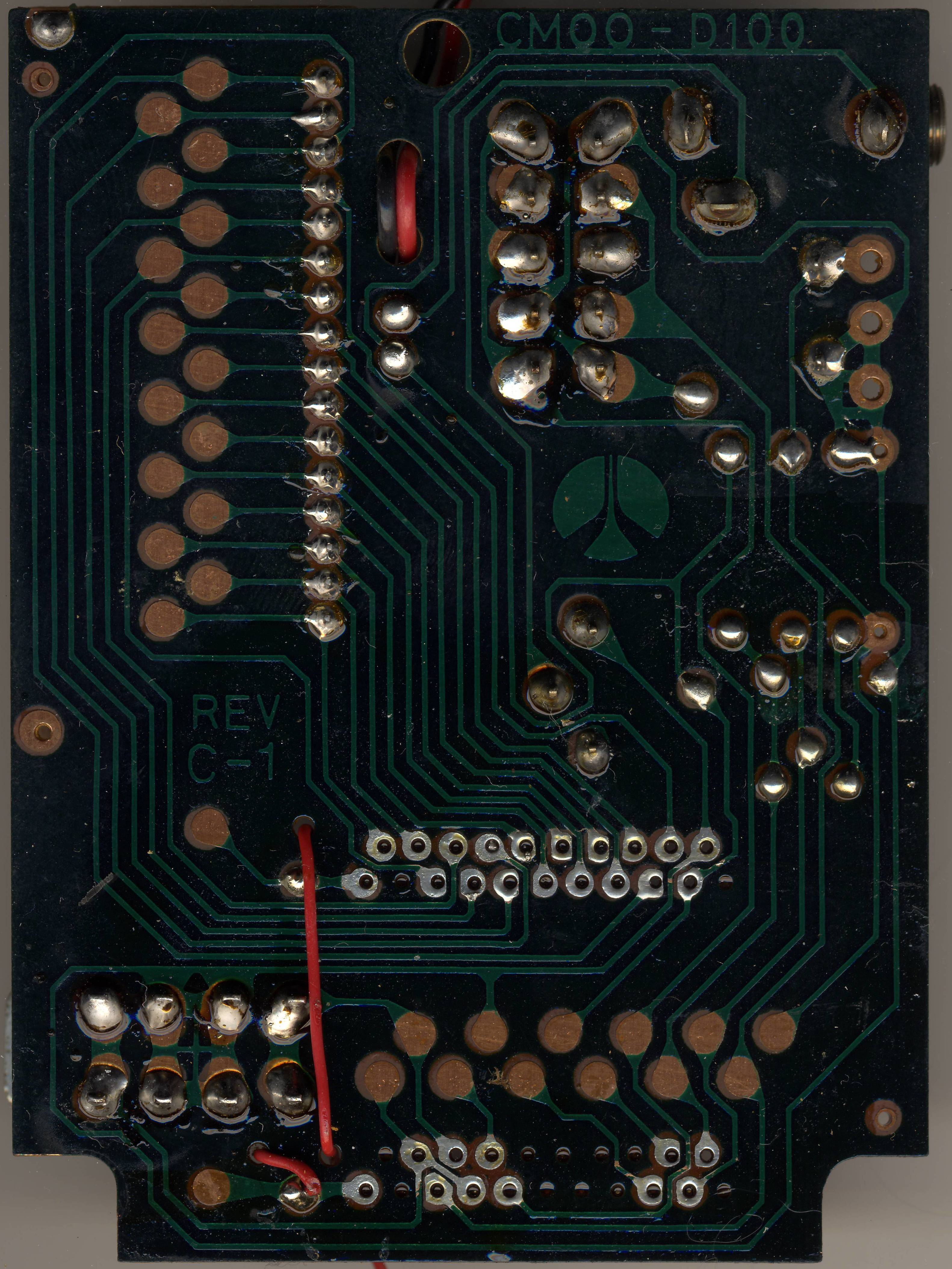
Care, opening and routine checks for the Mattel Auto Race (model 9879). The game runs on one 9 V battery and has no mains supply of its own. Inside are a main board carrying a Rockwell B6000 microcontroller, three slide switches and a speed trimmer, with the LED display on a separate board.[1][2][3] Fault-finding is on Mattel Auto Race Troubleshooting Guide and the board's one electrolytic capacitor on Mattel Auto Race Capacitor Replacement Guide.
What there is to look after
[edit | edit source]| Part | What to watch for |
|---|---|
| 9 V battery snap and its two wires | Corrosion from leaked batteries; wires breaking where they join the snap[4] |
| Battery door | Lifts off the back of the case[1] |
| Case screws | Triangular (tri-wing) security heads[5][4] |
| START/RESET, gear and steering switches | Slide switches on the main board; RESET is also the off position[1][3] |
| Speed trimmer | Sets how fast the game runs; usually about halfway[5] |
| Display board | Separate board soldered to the main board along one edge[3] |
| Jack socket | Fitted on some games, for an adaptor; Mattel's leaflet mentions only the battery[5][1] |
Before you start
[edit | edit source]- Take the battery out.
- Have a tri-wing screwdriver that fits the case screws, isopropyl alcohol, cotton buds, a soft brush, switch cleaner, a multimeter, and a new 9 V snap if the old one is corroded.
- Work on a soft, clean surface and keep the screws together.
Battery door and snap
[edit | edit source]- Turn the game face down and lift the battery door off.[1]
- Unclip the battery and look at both press-studs on the snap and at the two wires where they leave it.
- Clean light deposits from the studs with isopropyl alcohol. Heavy corrosion, green deposits running up the wires, or a wire broken at the snap means a new snap. See Battery Explosion, Capacitor or Corrosion Damage for neutralising leaked electrolyte.
- When fitting a new snap, solder the red lead where the old red lead went and the black where the black went, and check the polarity with a meter before you fit a battery. The owner of the Auto Race shown on Slashdot in 2024 could not make the wires hold on the old connector and fitted a new one, after which the game worked.[4][6]
- Clip the battery on squarely and refit the door.[1]
Opening the case
[edit | edit source]The case is closed with triangular security screws; a tri-wing driver fits them.[5][4] Do not force a flat blade into the heads, which strips them.
- Take the battery out.
- Remove the case screws from the back and keep them together.
- Lift the back away slowly. The battery snap wires run to the main board, so do not pull them.
- Note where every wire runs before you lift the board out, or photograph it.
- Handle the board by its edges. The display board is soldered to the main board along a row of pins; do not flex the joint between them.[3]
Speed trimmer
[edit | edit source]The trimmer on the main board is the game's speed control. The Handheld Games Museum describes it as "like a little volume control", usually set about halfway, and says it can make the game about twice as fast or twice as slow.[5][3]
- Mark the trimmer's position with a fine pen before cleaning anything near it.
- Leave it alone unless the game is clearly running too fast or too slow. If someone has moved it, return it to about the middle of its travel and adjust from there.
Switches
[edit | edit source]The START/RESET switch is also the power switch: RESET turns the game off. The gear switch has four positions, and the steering lever moves the car between three lanes.[1] MAME notes that on the real game the steering lever does not spring back to the centre.[2]
- Clean each slide switch with switch cleaner worked in from the side while sliding it end to end several times.
- A switch that will not reach a position, or that only works when pressed sideways, needs cleaning or replacing.
Cleaning
[edit | edit source]- Wash the case halves, with the board and battery snap removed, in warm soapy water and dry them fully before reassembly.
- Clean the red display window with a damp cloth.
- Brush dust off the board. Clean flux or dirt round the switches and trimmer with isopropyl alcohol on a cotton bud.
Storage
[edit | edit source]- Take the battery out before storing the game.
- Store it dry and away from heat.
Preventive maintenance checklist
[edit | edit source]- Remove the battery whenever the game is put away.
- Inspect the snap and its wires for corrosion and breaks.[4]
- Check that the game starts in first gear and that all four gears and all three lanes respond.[1]
- Check that the car blips and the timer digits are steady; if they are not, fit a fresh battery first, as Mattel advises.[1]
- Look at the electrolytic capacitor for leakage; see Mattel Auto Race Capacitor Replacement Guide.
Related pages
[edit | edit source]- Mattel Auto Race
- Mattel Auto Race Troubleshooting Guide
- Mattel Auto Race Capacitor Replacement Guide
- Battery Explosion, Capacitor or Corrosion Damage
- Recommended Tools
References
[edit | edit source]- ↑ 1.00 1.01 1.02 1.03 1.04 1.05 1.06 1.07 1.08 1.09 Mattel, Inc., Mattel Electronics Auto Race Game Instructions, code 9879-0920(B), 1976; hosted here as File:Mattel Electronics Auto Race Instructions 9879-0920.pdf. PDF p. 1: labelled drawing (gear shift, steering control, START, RESET and OFF; "Lift up on lid to remove"); "Turn Auto Race over, face down. Remove battery door. Attach one 9-volt battery to connector. Replace battery door." PDF p. 2: the game will not start unless the gear switch is at 1; three lanes. PDF p. 6: malfunctioning car blips or Digital Timer are "the first sign of battery wear".
- ↑ 2.0 2.1 MAME source, src/mame/handheld/hh_rw5000.cpp at commit d912c4f (retrieved 2026-10-19): Mattel Auto Race (model 9879), B6000 microcontroller; steering "does not auto-center on real device".
- ↑ 3.0 3.1 3.2 3.3 3.4 Sean Riddle, Auto Race circuit board scans, front and back (retrieved 2026-10-19), hosted here as File:Mattel Auto Race circuit board, component side.jpg and File:Mattel Auto Race circuit board, solder side.jpg: three slide switches, a trimmer, a jack socket, the display board joined to the main board by a row of pins along one edge.
- ↑ 4.0 4.1 4.2 4.3 4.4 Slashdot, "Retrocomputing Enthusiast Repairs Mattel's 48-Year-Old Handheld Videogame", 9 November 2024 (retrieved 2026-10-19): a broken Auto Race opened with a tri-wing screwdriver; after an unsuccessful attempt to resolder the wires to the old connector, the owner replaced the 9-volt battery connector and the game worked.
- ↑ 5.0 5.1 5.2 5.3 5.4 Handheld Games Museum, "Mattel Auto Race" (retrieved 2026-10-19): the internal speed control "like a little volume control", usually set about the middle, making the game about twice as fast or twice as slow; "triangle screws"; "Some of them also have an A/C adapter port".
- ↑ Vintage Apparatus, "Sudden repair needed on another 45 year old Mattel video game", YouTube, 3 November 2024 (the repair summarised by Slashdot).