Tandy 1000 SL Troubleshooting Guide
.jpg)
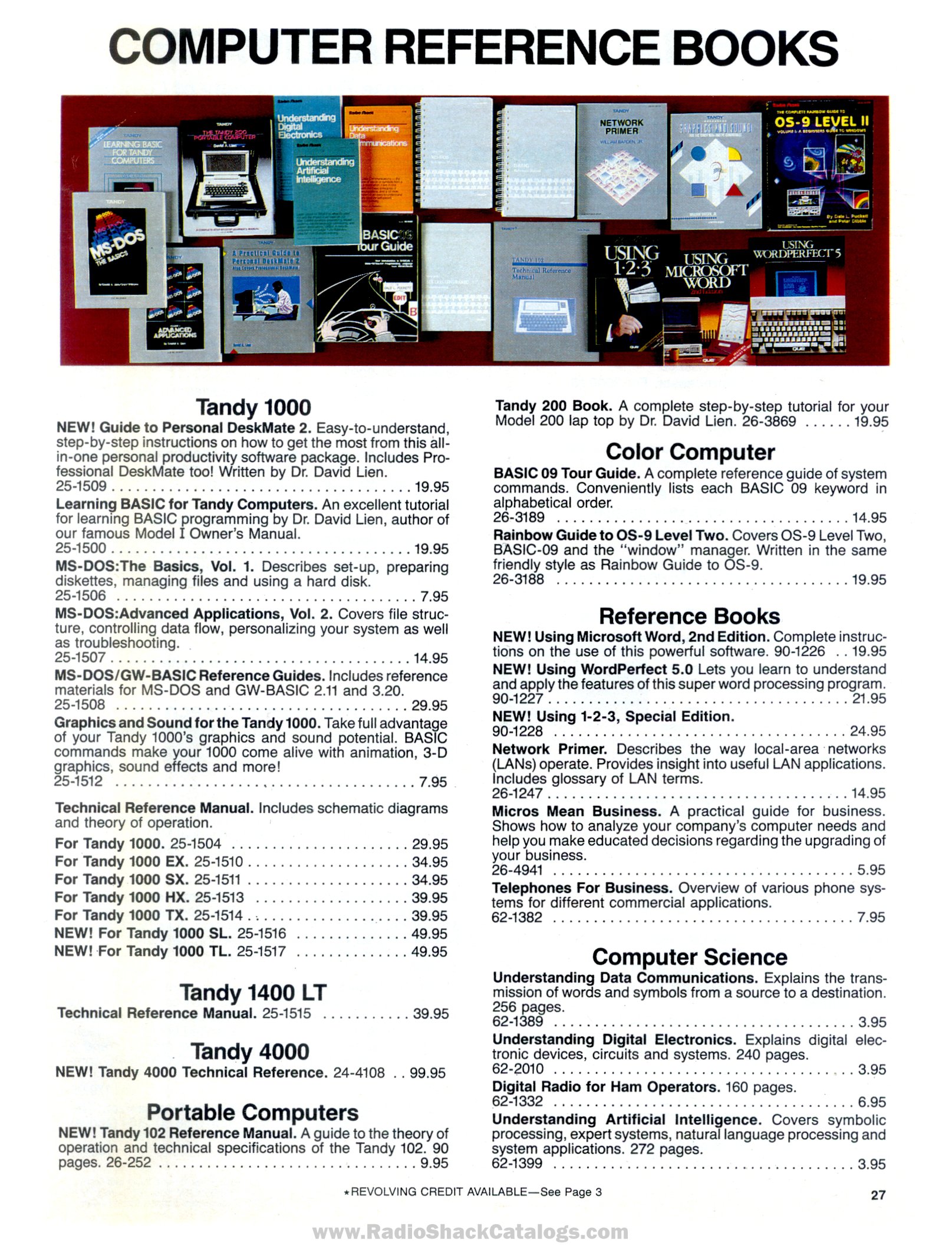
Fault finding on the Tandy 1000 SL and Tandy 1000 SL/2 draws on the SL/2 owner's manual, the Tandy 1000 FAQ and owners' repair reports. Tandy's technical reference manual for the SL (25-1516), with its schematics and supply data, could not be obtained, so the supply section is limited to basic checks.[1][2]
 | The supply runs from the mains. Unplug the computer before removing the cover, and check the rating label (120 V or 240 V) before connecting it. |
Quick reference
[edit | edit source]| Symptom | Likely cause | Section |
|---|---|---|
| "Err I/O of port 378h" at power-on, then nothing | Printer cable, EEPROM or main board fault | Err I/O of port 378h |
| Stops after showing the memory size | Corrupted EEPROM settings | Memory count |
| Several beeps and no boot | Hardware fault found at power-on | Beeps |
| "Drive A critical error" with no disk inserted | Boot device setting, ROM disabled or faulty ROM | Disk error |
| Wrong characters from the keyboard | AT or PS/2 keyboard fitted | Keyboard |
| No picture on a monochrome monitor | Monitor type stored for colour | Video |
| Game stalls; screen rolls | Video interrupt jumper; IRQ 5 conflict | Video |
| 720 KB drive formats at 360 KB | DOS drive parameters | Floppy drives |
Err I/O of port 378h
[edit | edit source]Several SL owners report the machine stopping immediately at power-on with "Err I/O of port 378h". A disassembly of the SL BIOS shows that it writes the test value 55h to the printer port at 378h, reads it back, and halts with this message if the two do not match.[3] Owners have linked the message to several faults:
- Check the printer cable. The error has been reported with a printer cable fitted upside down on the card-edge port. Remove the cable and any expansion cards and try again.[3]
- Reseat the serial EEPROM (a 93C46) at U17, under the power supply. One owner whose EEPROM had failed got the message with no EEPROM fitted and with one copied from a TL/2, and no picture at all with a blank one; another owner's working SL boots with the EEPROM removed, so the behaviour varies.[3] If the machine will boot with a blank, working EEPROM, SETUPSL /F writes the factory settings.[3]
- Check the printer controller. The forum reports that the PSSJ chip at U40 handles the printer port. In one SL the fault stayed with a known-good PSSJ fitted, with good supply voltage at the chip, and with the printer lines and resistor networks checked.[3]
- Suspect the main board. bakemono notes that the test runs early, after only a memory test, so a fault that stops I/O reads from working would first show up as this message. In one owner's machine the cause was never found.[3]
Patching the BIOS to skip the test only produced a blank screen on that machine, and its owner concluded that something beyond the parallel port was wrong.[3]
Stops at the memory count
[edit | edit source]If the machine shows the memory size and goes no further, with no beep code, the FAQ says the EEPROM settings are badly corrupted.[4]
- Disconnect the hard disk data cable, if fitted, and try again.
- Remove all expansion cards.
- Remove the EEPROM and try again.
- Once the machine boots, run the setup program with /F to restore the factory defaults.
The FAQ adds that DOS 5 or 6, or a DeskMate program run outside DeskMate, can corrupt the EEPROM on machines with DOS in ROM.[4]
Beeps at power-on
[edit | edit source]The FAQ lists the Phoenix BIOS beep codes, given as three groups of beeps (for example 1-3-3 for a failure in the first 64 KB of RAM), but warns that Tandy's codes may not match the list. Several beeps still point to a hardware fault.[5]
Boots to a disk error
[edit | edit source]An SL or TL with DOS in ROM should boot from ROM with no disk inserted. If it asks for drive A:, Trixter suggests a faulty ROM, a disabled ROM, or a boot-device setting in the EEPROM that has gone wrong; boot from a known-good floppy and set ROM as the boot device in the setup program.[6] To boot from a hard disk instead, set the boot device to DISK with MS-DOS as the start-up program.[7]
Keyboard
[edit | edit source]An owner whose SL typed the wrong characters, with some keys producing two, was using AT keyboards. The SL needs an XT keyboard or a converter.[8][9] If an XT keyboard also gives garbage, GloriousCow suggests checking whether the same keys give the same wrong characters after each restart, and notes that static damage to the keyboard interface can cause random characters.[8]
Video
[edit | edit source]- No picture on a monochrome monitor: restart with Ctrl-Alt-Shift-V, which switches the monitor type.[1][10]
- A PCjr or Tandy 1000 game stalls: on the SL/2, move the video interrupt jumper from E2-E3 to E3-E4. If the screen then rolls, another device such as a hard disk card is using IRQ 5; change that device's interrupt.[1]
- Wrong colours through an RGB-to-HDMI converter: one owner's two SLs showed wrong colours through a TexElec RGBtoHDMI but looked correct on a CM-11 monitor.[11] Check the picture on a real monitor before suspecting the computer.
Floppy drives
[edit | edit source]- A 720 KB drive formats at 360 KB after a DOS upgrade: add
DRIVPARM=/D:0 /F:2 /H:2 /S:9 /T:80to CONFIG.SYS for drive A: (DOS 3.2 or later).[12] - On the SL/2, drive A: takes power through the data cable; never fit a standard drive on that cable unchanged.[13]
- Run SETUPSL2 after adding a drive.[14]
Hard disks
[edit | edit source]The SL and SL/2 have no built-in hard disk interface. The FAQ says most 8-bit MFM or RLL controllers work, except the Western Digital WD1004.[7]
Power supply
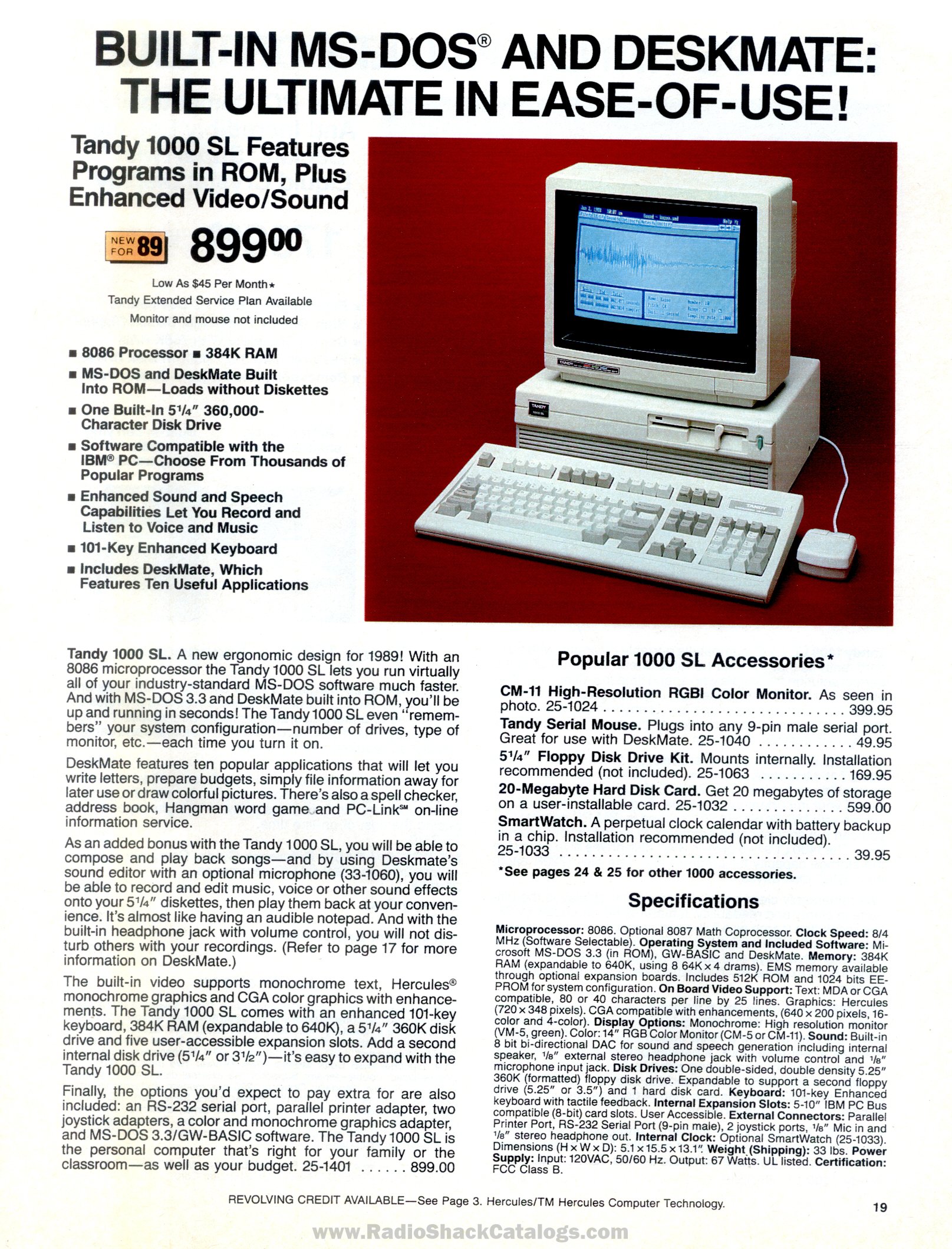
[edit | edit source]The supply is rated at 67 W output.[15] No published test points or voltage limits for it could be found. If the machine is dead, check the mains lead and switch, measure +5 V (red wire) and +12 V (yellow wire) at a drive power connector, and inspect the supply for failed electrolytic capacitors.[16]
Related pages
[edit | edit source]- Tandy 1000 SL
- Tandy 1000 SL/2
- Tandy 1000 SL General Maintenance
- Tandy 1000 TL Troubleshooting Guide
- Floppy Drive Repair
References
[edit | edit source]- ↑ 1.0 1.1 1.2 Tandy Corporation, Tandy 1000 SL/2 Installation and Operation, 1989, hosted as File:Tandy 1000 SL2 Installation and Operation Manual (1989).pdf. "Troubleshooting", p. 35.
- ↑ Radio Shack, computer catalogue RSC-20 (1989), p. 27, technical reference manuals, page scan at RadioShackCatalogs.com (retrieved 2026-10-22).
- ↑ 3.0 3.1 3.2 3.3 3.4 3.5 3.6 "1000SL Err I/O of port 378h, not booting", Vintage Computer Federation forum, February 2021 to November 2024, thread. Posts by keenerb, Trixter (19 February 2021), bakemono (19 February 2021 and 16 November 2024), ACC (1 and 15 November 2024) and Cloudschatze (31 October to 16 November 2024).
- ↑ 4.0 4.1 Jeff Hayes, "Tandy 1000-series FAQ", version 2.52, 25 October 2005, TVDog's Tandy 1000 archive (retrieved 2026-10-21). Sections II.K.8, III.A.2 and III.F.2.
- ↑ Hayes, "Tandy 1000-series FAQ" (2005), section II.K.2.
- ↑ "Tandy 1000TL drive A critical error on startup", Vintage Computer Federation forum, November 2020, thread. Post by Trixter, 10 November 2020.
- ↑ 7.0 7.1 Hayes, "Tandy 1000-series FAQ" (2005), section II.D.1.
- ↑ 8.0 8.1 "Need help with Tandy 1000SL keyboard problem", Vintage Computer Federation forum, June 2024, thread. Posts by D50_Dude, GloriousCow, eswan and keenerb, 5-8 June 2024.
- ↑ Hayes, "Tandy 1000-series FAQ" (2005), section II.E.1.
- ↑ Hayes, "Tandy 1000-series FAQ" (2005), section II.B.5.
- ↑ "Tandy 1000 SL", Vintage Computer Federation forum, April 2024, thread. Posts by almoerman (27 and 28 April 2024) and Torch (28 April 2024).
- ↑ Hayes, "Tandy 1000-series FAQ" (2005), section II.C.6.
- ↑ Hayes, "Tandy 1000-series FAQ" (2005), sections II.C.2 and II.C.5.
- ↑ Tandy 1000 SL/2 Installation and Operation (1989), "Installing another diskette drive", pp. 25-26.
- ↑ Radio Shack, computer catalogue RSC-20 (1989), p. 19, Tandy 1000 SL specifications, page scan at RadioShackCatalogs.com (retrieved 2026-10-22).
- ↑ Hayes, "Tandy 1000-series FAQ" (2005), section II.C.3, drive power cable colours.