Tandy 1000 TL Troubleshooting Guide
.jpg)
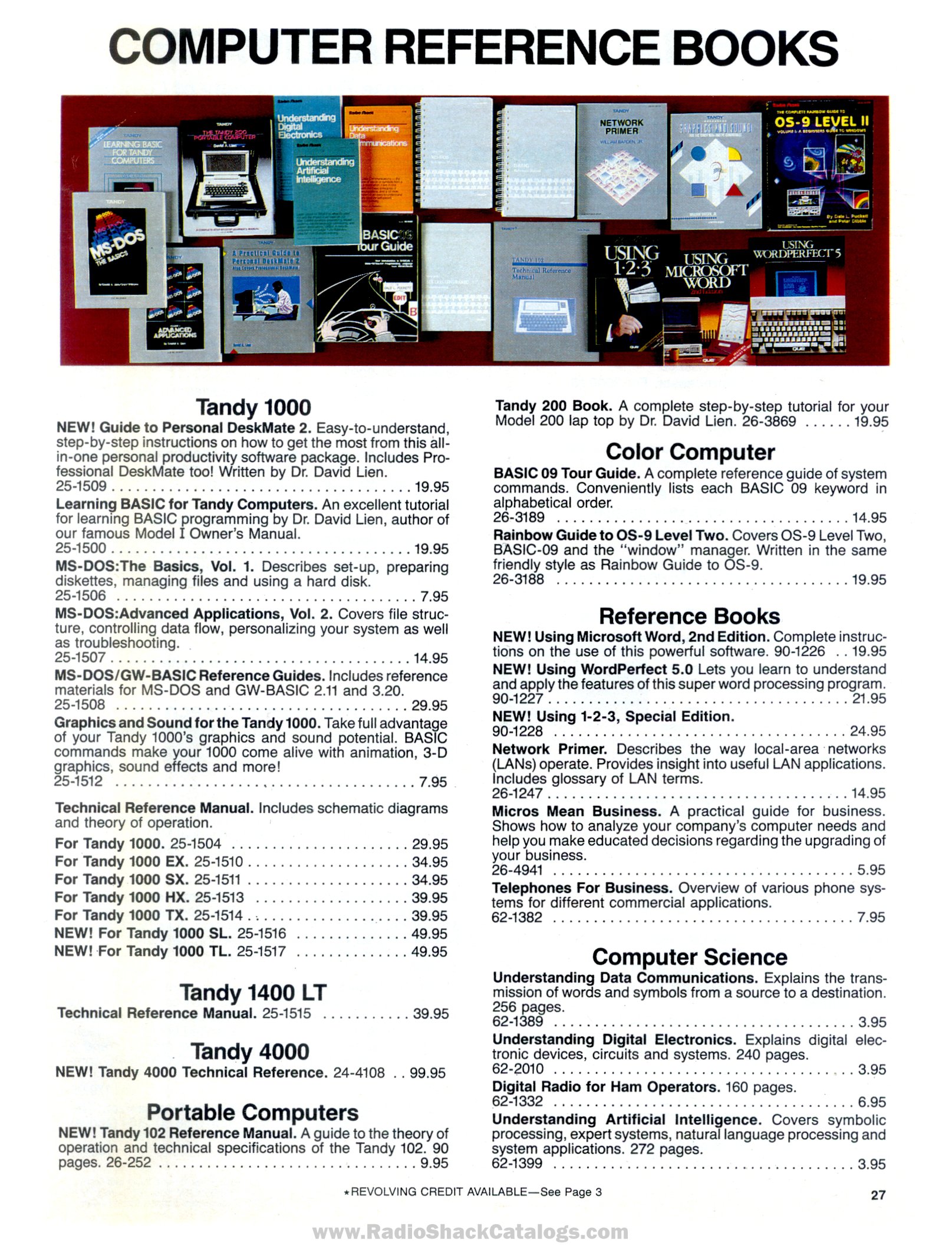
Fault finding on the Tandy 1000 TL, Tandy 1000 TL/2 and Tandy 1000 TL/3 draws on the Tandy 1000 FAQ, Radio Shack's catalogues, Tandy's 1995 parts list for the TL/3 and owners' repair reports. Tandy's technical reference manual for the TL (25-1517), with its schematics and supply data, could not be obtained, so the supply section is limited to basic checks.[1] Faults shared with the SL family, such as the "Err I/O of port 378h" message, are covered in Tandy 1000 SL Troubleshooting Guide.
 | The supply runs from the mains. Unplug the computer before removing the cover, and check the rating label (120 V or 240 V) before connecting it. |
Quick reference
[edit | edit source]| Symptom | Likely cause | Section |
|---|---|---|
| "Drive A critical error" with no disk inserted | Boot device setting, ROM disabled or faulty ROM | Disk error |
| Stops after showing the memory size | Corrupted EEPROM settings | Memory count |
| Invalid configuration message at start-up | EEPROM contents do not match the hardware | Configuration |
| Disk change not detected; old directory shown | Floppy drive switch or circuit fault | Floppy drives |
| Date and time lost when switched off | Flat CR2032 clock cell | Clock |
| Hard disk not found (TL/2, TL/3) | Wrong drive type, boot setting or controller conflict | Hard disks |
| Mouse does not respond (TL/3) | Port disabled or wrong driver | Mouse |
| No sound with a VGA card fitted (TL/2) | Early BIOS | Sound |
Boots to a disk error
[edit | edit source]A TL with DOS in ROM should boot from ROM with no disk inserted. One owner's TL, with a VGA card fitted and no hard disk, stopped at "Drive A critical error". Trixter suggested a faulty or disabled ROM or a bad boot-device setting in the EEPROM: boot from a known-good floppy, set ROM as the boot device in the setup program, and try again without the VGA card.[2]
Stops at the memory count
[edit | edit source]If the machine shows the memory size and goes no further, with no beep code, the FAQ says the EEPROM settings are badly corrupted.[3]
- Disconnect the hard disk data cable, if fitted, and try again.
- Remove all expansion cards.
- Remove the EEPROM and try again.
- Once the machine boots, run the setup program with /F (SETUPTL /F on the TL) to restore the factory defaults.
Removing the clock battery does not clear the EEPROM.[3] The FAQ adds that DOS 5 or 6 can scramble the EEPROM on Tandy 1000s with DOS in ROM.[3]
Configuration messages
[edit | edit source]On Tandy 1000s with EEPROM setup, the BIOS checks the EEPROM contents at start-up and uses built-in defaults if they make no sense, with a message asking for the setup program to be run. The FAQ's answer, given for the RLX, is to run the setup program and save the changes so that the EEPROM matches the hardware; leaving without saving brings the message back.[4]
Floppy drives
[edit | edit source]- A drive that does not detect a disk change. One owner's TL drive, a Sony MP-F11W-70D, read and wrote correctly but never reported a disk change. Cleaning the disk-present and write-protect switches and replacing the drive's two electrolytic capacitors did not cure it; the switch signals reached the drive's control board but pins 34 (disk change) and 28 (write protect) of the floppy connector stayed fixed.[5] Check pin 34 at the drive and at the main board while opening and closing the drive door.[5]
- A replacement 3.5-inch drive must be a Tandy-style drive that takes power through the data cable, or the cable must be modified; a standard drive on the unmodified cable can damage the drive and the computer.[6]
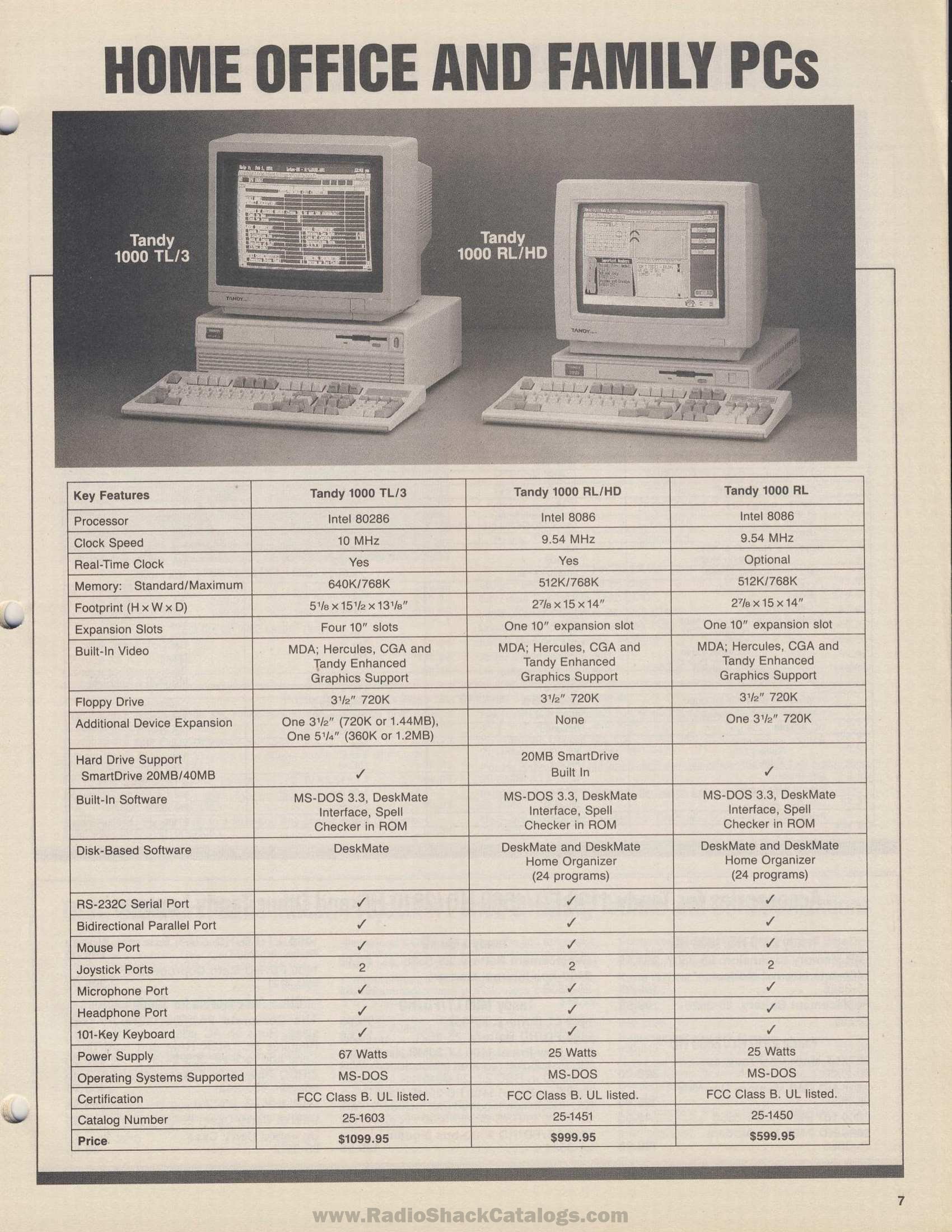
- High-density drives do not work at high density in the TL or TL/2; the TL/3 controller accepts them.[7]
- A 720 KB drive that formats at 360 KB after a DOS upgrade needs
DRIVPARM=/D:0 /F:2 /H:2 /S:9 /T:80in CONFIG.SYS for drive A:.[8] The FAQ also reports that DR DOS 6.0 does not see a second floppy drive on a TL.[9]
Clock
[edit | edit source]The TL series' clock runs from a removable CR2032 cell; on the TL/3 it sits in holder J3.[10][11] If the date and time are lost at power-off, replace the cell.
Hard disks
[edit | edit source]- TL/2 and TL/3: the built-in interface takes XT IDE drives only. Common AT IDE drives do not work on it.[12]
- The drive is fitted but the machine boots from ROM: set the boot device to DISK with MS-DOS as the start-up program.[12]
- An XT IDE drive that stopped working after Tandy DOS's HSECT or AUTOFMT was run on it: the FAQ says these programs make XT IDE drives unusable.[12]
- An added controller conflicts with the built-in one: set its ROM to CC00h or CE00h. MFM and RLL controllers do not work in the TL/2, and only Seagate ones work in the TL/3.[12]
- An owner who fitted a Lo-tech XT-CF to a TL/2 found that it would not work alongside a 3 MB EMS card in any setting he tried; it worked with a 2 MB EMS card at D000h and the XT-CF's offset BIOS at C800h, port 300h.[13]
Mouse (TL/3)
[edit | edit source]The TL/3's PS/2-style mouse port uses a non-standard interrupt and needs a special driver; the FAQ recommends CuteMouse 1.9. The port may need enabling in the setup program. If it is enabled but dead, disable it, restart, enable it again and restart. DeskMate has a built-in driver for the port, so it can show whether the mouse itself works.[14]
Sound
[edit | edit source]The FAQ lists BIOS 02.00.01 as the TL/2's last version and says that it corrects a possible loss of sound with a VGA card fitted.[15]
Serial ports
[edit | edit source]The FAQ's author found that on his TL a third serial port worked at COM4: but not at COM3:, and that the BIOS does not list the third port.[16]
Power supply
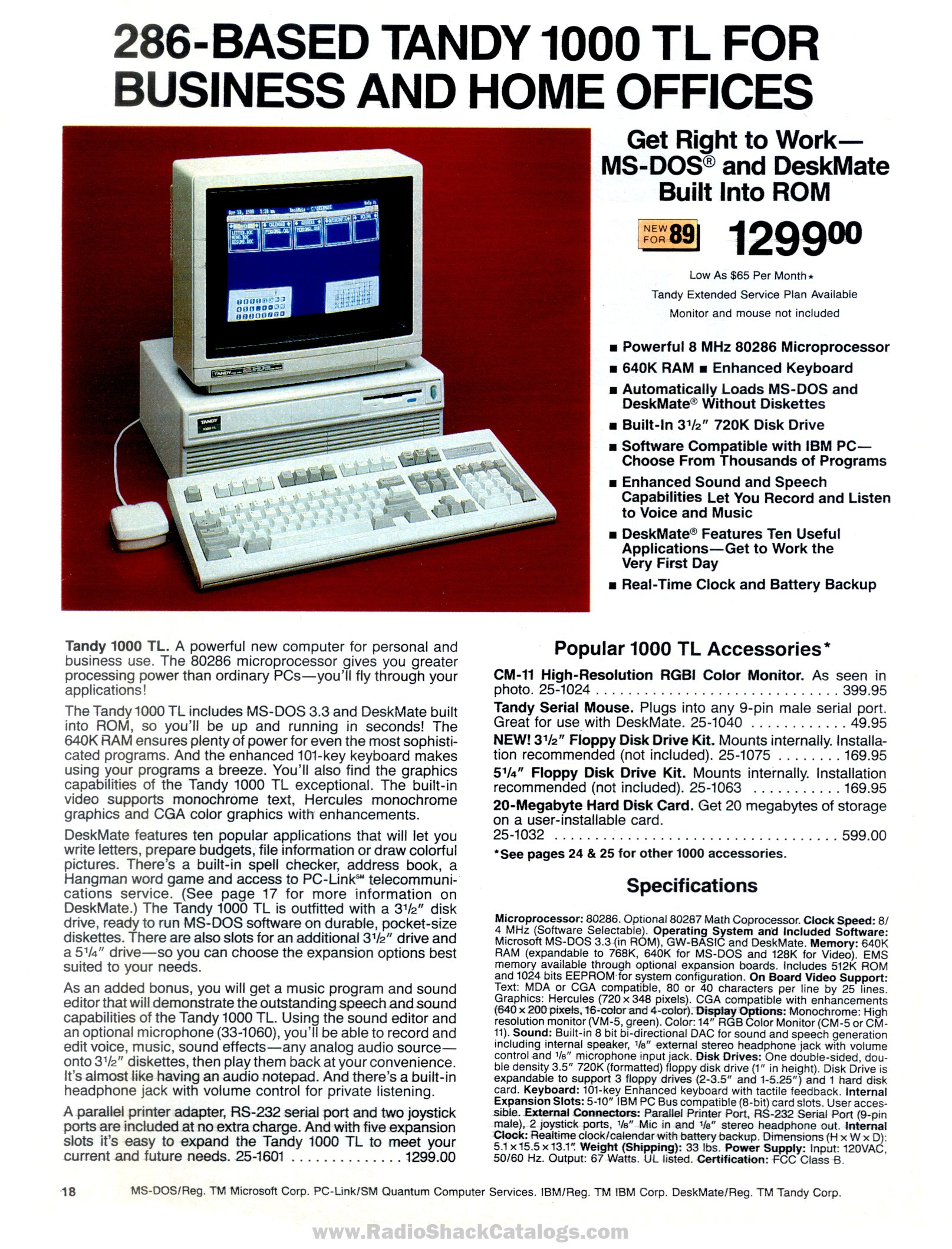
[edit | edit source]The supply is rated at 67 W output on all three models.[17][18] No published test points or voltage limits for it could be found. If the machine is dead, check the mains lead and switch, measure +5 V (red wire) and +12 V (yellow wire) at a drive power connector, and inspect the supply for failed electrolytic capacitors.[19] The TL/3 parts list gives two fuse ratings under F1, 1 A 125 V and 3 A 250 V fast-blow, without saying which board each is on; read the rating printed beside the fuse before replacing it.[11] One owner's TL failed at switch-on with a burning smell; it had blown a filter capacitor in the supply and damaged at least one IC on the main board.[20] The short-circuit checks owners used on the RL are on Tandy 1000 RL Troubleshooting Guide.
Related pages
[edit | edit source]- Tandy 1000 TL
- Tandy 1000 TL/2
- Tandy 1000 TL/3
- Tandy 1000 TL General Maintenance
- Tandy 1000 SL Troubleshooting Guide
- Floppy Drive Repair
References
[edit | edit source]- ↑ Radio Shack, computer catalogue RSC-20 (1989), p. 27, technical reference manuals, page scan at RadioShackCatalogs.com (retrieved 2026-10-22).
- ↑ "Tandy 1000TL drive A critical error on startup", Vintage Computer Federation forum, November 2020, thread. Posts by Dokken and Trixter, 10 November 2020.
- ↑ 3.0 3.1 3.2 Jeff Hayes, "Tandy 1000-series FAQ", version 2.52, 25 October 2005, TVDog's Tandy 1000 archive (retrieved 2026-10-21). Sections II.K.8, III.A.2 and III.F.2.
- ↑ Hayes, "Tandy 1000-series FAQ" (2005), section III.F.3.
- ↑ 5.0 5.1 "Disk change not working on Tandy 1000TL floppy drive", Vintage Computer Federation forum, January 2026, thread. Posts by jamonyorke (21 and 24 January 2026) and ldkraemer (24 January 2026).
- ↑ Hayes, "Tandy 1000-series FAQ" (2005), sections II.C.2 and II.C.5.
- ↑ Hayes, "Tandy 1000-series FAQ" (2005), section II.C.1.
- ↑ Hayes, "Tandy 1000-series FAQ" (2005), section II.C.6.
- ↑ Hayes, "Tandy 1000-series FAQ" (2005), section III.A.2.
- ↑ "Tandy 1000", Wikipedia (retrieved 2026-10-21). Section "1000 TL, TL/2 and TL/3".
- ↑ 11.0 11.1 Tandy National Parts, bill of materials 250-1603 "Tandy 1000 TL-3", January 1995, 25-1603.txt, TVDog's Tandy 1000 archive (retrieved 2026-10-21).
- ↑ 12.0 12.1 12.2 12.3 Hayes, "Tandy 1000-series FAQ" (2005), sections II.D.1 to II.D.3.
- ↑ "Tandy 1000 TL/2 XT-CF and EMS notes", Vintage Computer Federation forum, August 2025, thread. Post by mhenry1762, 23 August 2025.
- ↑ Hayes, "Tandy 1000-series FAQ" (2005), section II.G.5.
- ↑ Hayes, "Tandy 1000-series FAQ" (2005), section III.E.2, BIOS version table.
- ↑ Hayes, "Tandy 1000-series FAQ" (2005), section II.G.4.
- ↑ Radio Shack, computer catalogue RSC-20 (1989), p. 18, Tandy 1000 TL specifications, page scan at RadioShackCatalogs.com (retrieved 2026-10-22).
- ↑ Radio Shack, computer catalogue RSC-22A (1991), p. 7, "Home office and family PCs", page scan at RadioShackCatalogs.com (retrieved 2026-10-22).
- ↑ Hayes, "Tandy 1000-series FAQ" (2005), section II.C.3, drive power cable colours.
- ↑ "Tandy 1000 RL tone of death", Vintage Computer Federation forum, February 2021, thread. Posts by falter, 14 and 20 February 2021.